
Keyboard and the input-mode toggle
In short
In Keyboard settings, you can set a Mac key as the virtual machine's input-mode toggle key, and remap modifier keys like Command and Option or individual keys. Saving applies immediately to any open VM windows.
What you can change
Mac keyboards and Windows/Ubuntu keyboards have different layouts. Any OS sends keys pressed in the VM window straight through to the virtual machine, and remaps them if you've set a rule in Keyboard settings. The settings apply to all virtual machines together.
| Item | What it does |
|---|---|
Input language / IME switch | The key that switches the input method itself. e.g., English keyboard ↔ Korean IME ↔ Chinese IME. |
Mode switch of the current IME | The key that switches Hangul ↔ English within the Korean IME. commonly known as the han/yeong (Korean/English) key. |
Also follow Mac input source changes | When you change the input source on the Mac, the virtual machine changes along with it. |
Modifier key mapping | Remaps left/right Shift, Control, Option, and Command to a different modifier or toggle key. |
Individual key mapping | Remaps any other key to a different key. You can add up to 32. |
Modifier key mapping.Setting the input-mode toggle key
- 1.Click
Keyboard settingsat the top of the Any OS manager window. - 2.Under
Mode switch of the current IME, clickPress a key to assign, then press the Mac key you want to use for the input-mode toggle (e.g., right Command). - 3.Turn on
Also follow Mac input source changesif you want the virtual machine to switch along when you change the input source on the Mac. - 4.Click
Save. It applies immediately to any open VM windows.
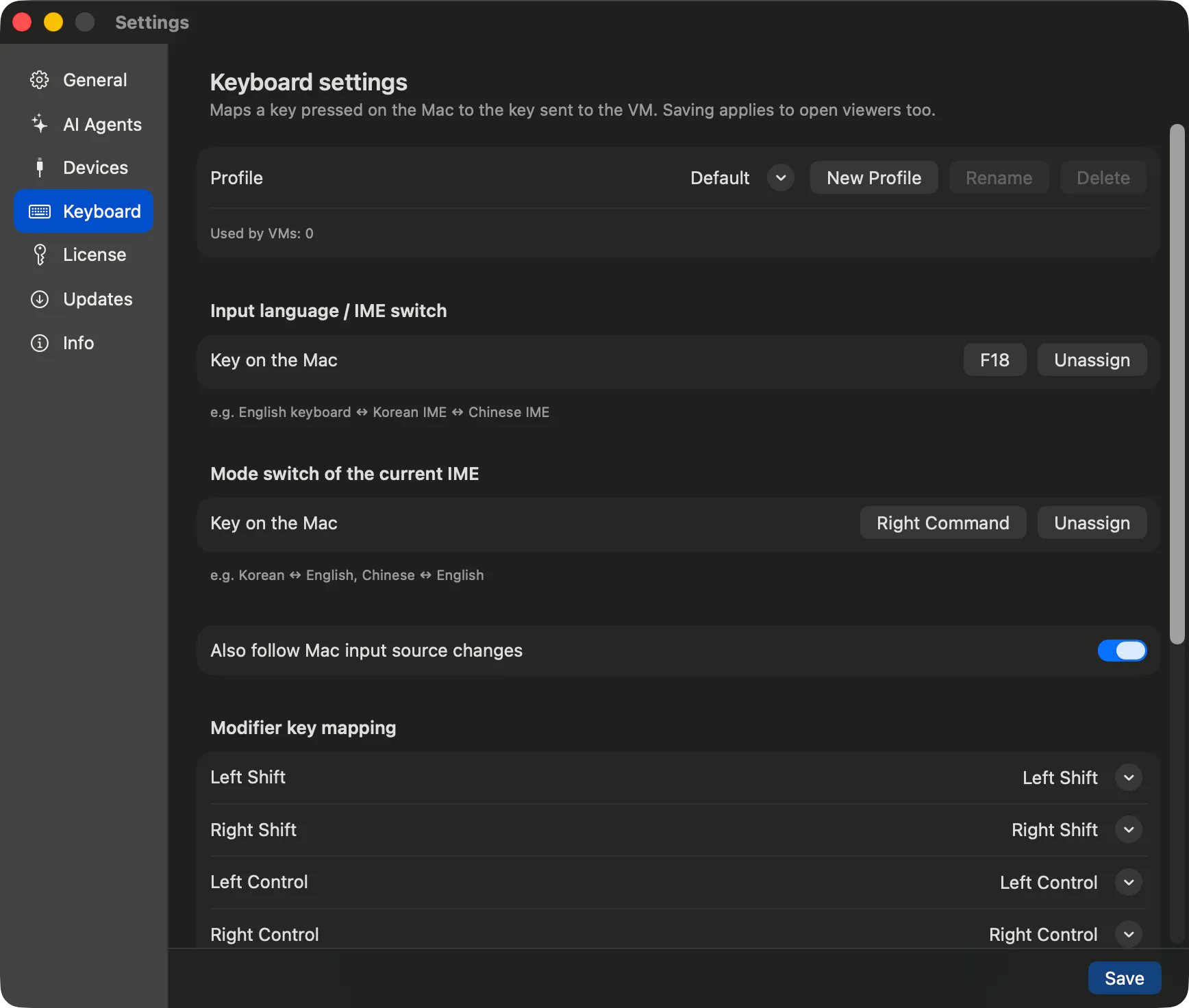
To clear an assigned key, click Unassign. A key already assigned to another function can't be reassigned.
Also follow Mac input source changes will switch the virtual machine along with it.The difference between Windows and Ubuntu
| Windows | Ubuntu | |
|---|---|---|
| How the toggle works | Sends the Windows Korean/English key straight through. | Any OS Tools checks the current IME and switches straight to Hangul mode. |
| Pressed while on the English keyboard | Same as pressing the Korean/English key. | Turns on the Korean IME and switches to Hangul mode. After that, each press alternates Korean/English. |
| Requires | Nothing | Any OS Tools (latest version recommended) |
If Ubuntu tells you Any OS Tools doesn't support mode switching, it sends the key combination straight through as Windows does. You may see the message Mode switching for the current IME is not supported yet.
Remapping modifier and individual keys
- 1.In
Keyboard settings, open the list next to the modifier key you want to remap inModifier key mapping. - 2.Choose the key to send. Choosing
Offmeans that key isn't sent to the virtual machine. ChoosingInput mode switchorIME switchmakes that modifier key the toggle key. - 3.To remap another key, click
Add mappinginIndividual key mapping, press the key to remap, then choose the key to send. - 4.Click
Save.
Things to know
- Key repeat is handled by the virtual machine itself. Holding a key down follows the virtual machine's own key-repeat settings.
- While the VM window has the keyboard, every key goes to the virtual machine,
⌘Q,⌘Taband⌘Spaceincluded. To use Mac shortcuts, press and release Control+Option to release the keyboard; click the VM screen to type in it again. See Keyboard shortcuts. - If the keyboard settings change elsewhere, you'll see
The settings were changed elsewhere.Close the window and reopen it to see the latest settings.
Related Articles
Still stuck?
Search the Help Center by symptom or contact our support team.