
Checkpoints
Works onWindowsUbuntuUpdated 2026-10-16
In short
A checkpoint is a restore point that captures a VM's entire disk and boot state. Save it from the Checkpoints tab in virtual machine settings. Restoring it leaves the original VM untouched and creates a new VM at that point in time.
When to use it
- Before a big update or driver install, to have a point to go back to
- When you want to try several experiments separately from the same starting point
Saving a checkpoint
- 1.
Shut downthe VM. Checkpoints can only be saved for a shut-down VM. - 2.Click
Checkpointson the card, or open theCheckpointstab in virtual machine settings. - 3.Set a
Name(defaultBefore) and clickSave current state. - 4.You're done once
Checkpoint saved.appears.
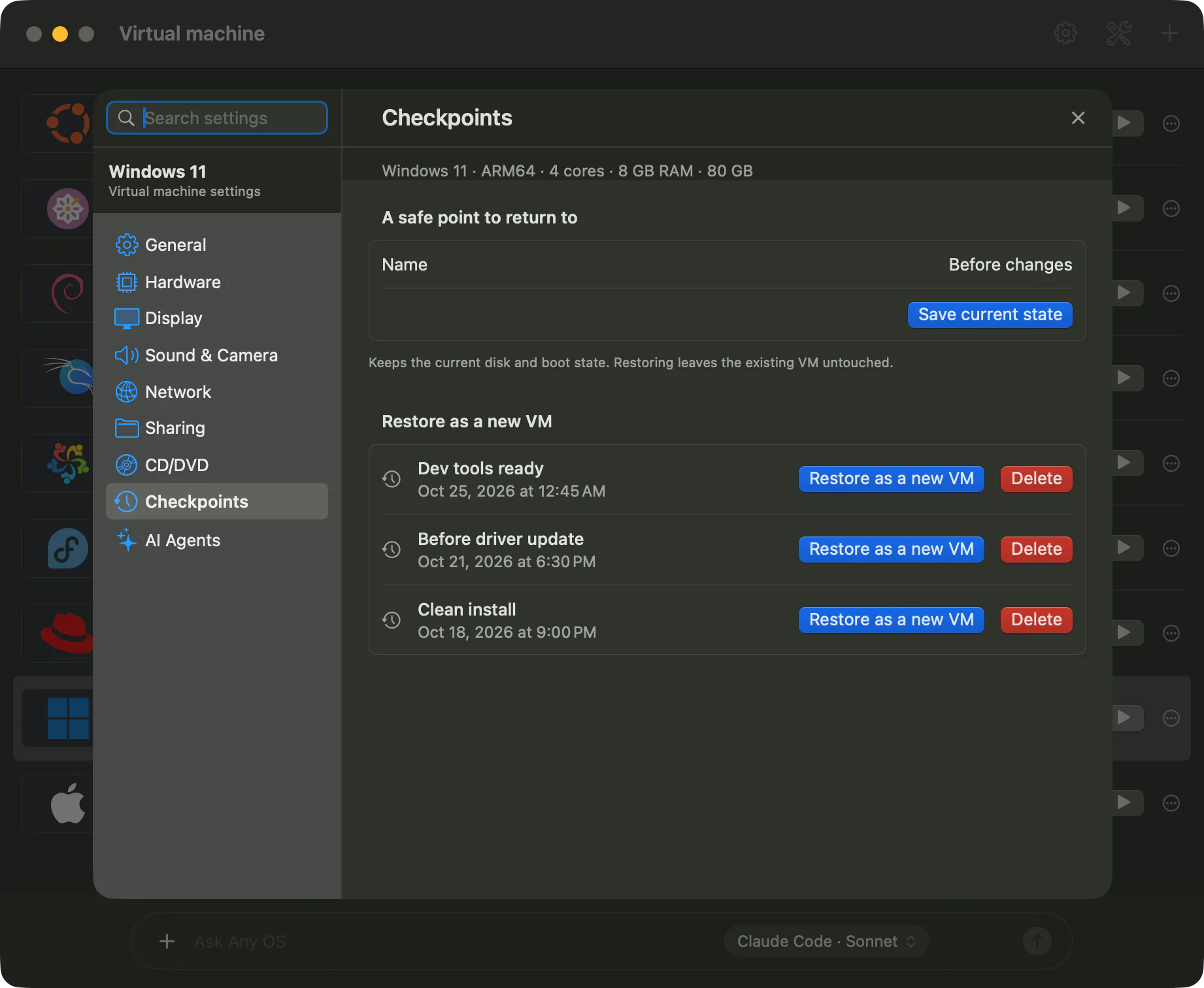
Restoring as a new VM
- 1.Open the
Checkpointstab. - 2.Set the
Name of the restored VM. The default isOriginal name · restored. - 3.Click
Restore as a new VMon the checkpoint you want from the list. - 4.A new VM card appears on the manager screen once
Restored as a new VM.shows.
Restoring first checks that no files are corrupted. The original VM isn't changed. The SSH port and port forwarding rules aren't copied to the new VM, so set them again in the new VM's network settings.
Deleting a checkpoint
Click Delete in the list. A deleted checkpoint can't be recovered. VMs already restored from it aren't affected.
What's kept
- The disk, firmware and boot settings, and information about the attached install image
- Windows' security chip (TPM) and secure boot state. A restored Windows VM stays usable as-is.
Good to know
- A checkpoint you save yourself doesn't include running memory state. A suspended VM is also saved like a powered-off disk.
- AI agents can save a running VM including its memory. These checkpoints show
Includes memory. - A checkpoint is a restore point on this Mac, not a backup. It's lost along with the Mac's disk if it fails, so back up anything important separately.
- It works on APFS volumes. APFS cloning uses almost no extra space, but the VM uses more space for whatever changed after saving.
- Deleting a VM also deletes its checkpoints.
Related Articles
Was this article helpful?
Still stuck?
Search the Help Center by symptom or contact our support team.